

August and September mark the most competitive, high-traffic commercial advertising window in Malaysia. With Hari Merdeka (August 31) and Malaysia Day (September 16) approaching, small-to-medium enterprises (SMEs), local eateries, e-commerce brands, and social media influencers nationwide are competing for consumer attention. The brands that win on social media are not necessarily those with Hollywood cinema cameras; they are agile creators who master CapCut video editing to produce relatable, high-energy, rhythmic short-form content on their smartphones.
Whether you run a TikTok Shop in Petaling Jaya, manage corporate branding in KL, or run a creative agency, mastering fast mobile workflows is essential. In this guide, ME Studio reveals the practical workflow behind CapCut video editing templates for Merdeka and Malaysia Day 2026, covering rhythmic synchronization, bilingual subtitle styling, and algorithmic optimization.
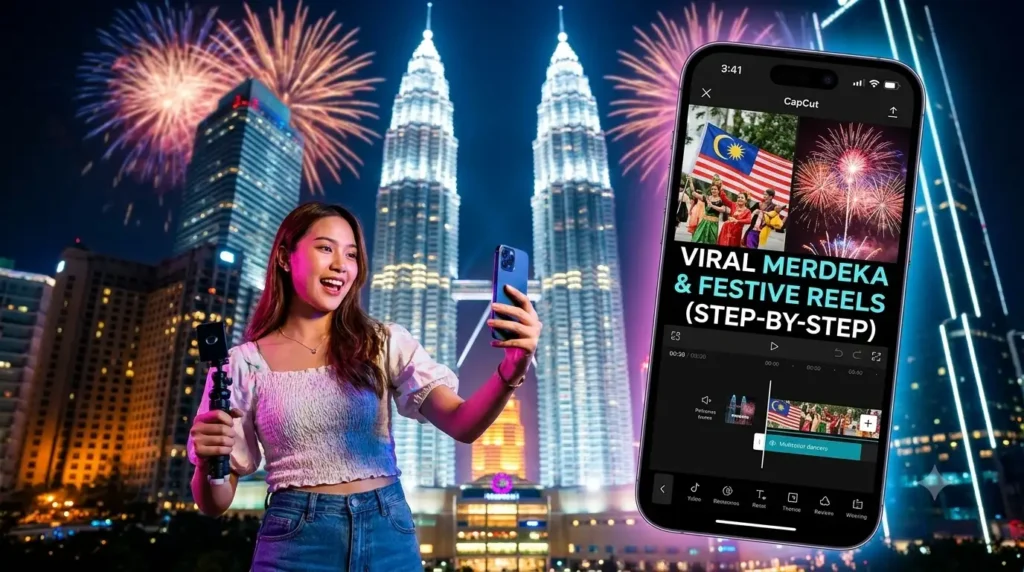
1. Capitalizing on the Q3 Merdeka & Malaysia Day Video Surge
During the festive Malaysian season, consumer search queries and social engagement on TikTok, Instagram Reels, and YouTube Shorts surge by more than 300%. Audiences actively look for stories celebrating local unity, traditional culinary heritage, patriotic transformations, and festive promotional sales.
However, traditional desktop workflows can be too slow for fast-paced trend cycles. Mobile CapCut video editing has become the ultimate content creation weapon for Malaysian marketing teams because it bridges the gap between pro-level pacing and rapid smartphone delivery.
2. Step-by-Step CapCut Video Editing: Beat Sync and Dynamic Sound Effects
The first three seconds of your short-form video determine whether a viewer watches your content or scrolls past it. Retaining audience attention requires tight, rhythmic editing synced to engaging audio. Follow this step-by-step beat-matching workflow:
Step 1: Sourcing & Importing Trending Festive Audio
- Launch CapCut Mobile and create a New Project.
- Select an upbeat, high-tempo Malaysian patriotic remix or trending local instrumental beat.
Pro Tip: Tap Audio > Sounds, search for trending festive audio tracks on TikTok Malaysia, or extract original background audio directly from high-performing viral Reels.
Step 2: Activating Auto Beat Detection (Match Cut)
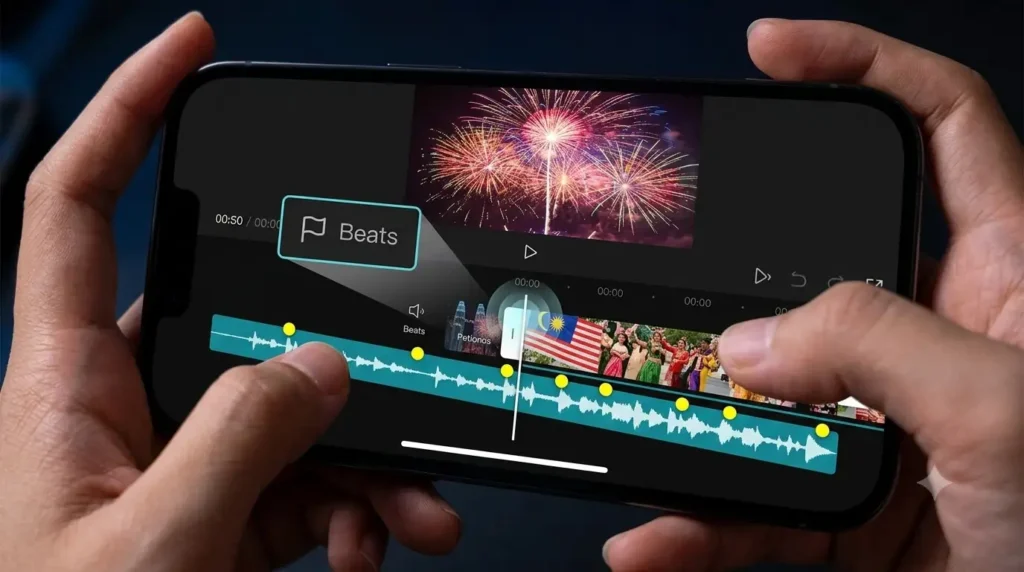
- Tap on your audio waveform track in the CapCut timeline.
- Scroll through the bottom toolbar and select Beats (represented by a small flag icon).
- Tap Auto Generate and choose Beat 2 (Faster Tempo).
- CapCut will instantly populate your audio timeline with bright yellow dots indicating every bass drop, snare kick, and rhythm shift.
Step 3: Snapping Video Clips to Rhythm Markers
- Drag your visual B-roll clips (e.g., product close-ups, behind-the-scenes coffee brewing, waving Jalur Gemilang flags).
- Trim each clip so that the transition cut snaps magnetically to a yellow beat dot.
- Maintain rapid pacing: In the first 3 seconds, ensure cuts occur every 0.5 to 0.8 seconds to instantly hook the viewer’s brain before settling into your core storytelling pace.
3. Cinematic Speed Ramping & Seamless CapCut Video Editing Hacks
Static, linear cuts often feel dry and amateurish. To give your Merdeka campaign video a commercial broadcast feel, utilize custom speed ramping tools.
Implementing Smooth Speed Curves
- Select the video clip you want to emphasize.
- Tap Speed > Curve > Custom.
- Create a Fast-Slow-Fast curve:
- Accelerate the beginning of the action (e.g., pouring Teh Tarik or pulling open a gift box) to 3x speed.
- Drop the speed down to 0.4x slow motion at the exact moment of visual impact.
- Accelerate back to 2x speed as the clip ends to whip seamlessly into the next scene.
- Always toggle on Make It Smoother > Better Quality to allow CapCut’s optical flow algorithm to interpolate frames, eliminating choppy stuttering.
4. Bilingual Subtitle Generation & Typography Styling for Malaysian Audiences
Malaysia is a uniquely multilingual marketplace. Videos featuring localized, bilingual text overlays consistently outperform monolingual content in watch time and shares.
Setting Up Auto Subtitles with High Retention
- Tap Text > Auto Captions.
- Select your primary audio language (Bahasa Melayu or English). CapCut will transcribe speech into timed captions within seconds.
- Secondary Language Workflow: Duplicate caption blocks or use secondary text layers to insert concise dual-language subtitles (e.g., English speech paired with Bahasa Melayu key captions, or Chinese visual hooks).
High-Impact Typography Settings
Avoid tiny, generic fonts that vanish on mobile screens. We recommend:
- Font Family: Select clean, bold typefaces such as Bebas Neue, Montserrat Bold, or The Bold Font.
- Visual Contrast: Apply a bright yellow or clean white fill with a subtle 15% black stroke and soft drop shadow. This ensures readability against light or dark background footage.
- Text Animations: Under Animation > Caption, choose dynamic presets like Typewriter, Spring, or Pop Word by Word to encourage active reading.
5. Optimal Export Settings for TikTok, Instagram Reels & Shorts
Exporting with incorrect compression settings can ruin hours of careful CapCut video editing. Use these verified parameters before publishing:
- Resolution: 1080p (FHD) — Do not export 4K for standard TikTok or Reels uploads; social platforms apply heavy compression algorithms to 4K files, often resulting in pixelation.
- Frame Rate: 30 fps or 60 fps (match your shooting source; keep 60 fps if your video contains rapid movement or speed ramping).
- Codecs & Bitrate: Select Higher Bitrate and ensure Smart HDR is disabled unless specifically color-graded for HDR displays, preventing washed-out playback on Android devices.
Frequently Asked Questions (FAQ)
Q1: Is the free version enough, or do I need the Pro version for commercial CapCut video editing?
The free version includes around 85% of all tools required for commercial Reels, including basic beat syncing, auto subtitles, and transitions. In our masterclass, we teach primarily using free features so you don’t face mandatory monthly subscriptions, while highlighting specific Pro tools for high-volume corporate teams.
Q2: How do I avoid commercial copyright strikes on music tracks used for business Reels in Malaysia?
If you are running paid Meta or TikTok Ads, you must use commercially licensed audio tracks. We show you how to filter for commercial-use-approved tracks, as well as where to download royalty-free Southeast Asian festive beats that won’t get your business account muted.
Q3: Can I join this workshop if I have an older Android smartphone?
Yes. The software runs reliably on mid-range and flagship smartphones released over the past 4–5 years. As long as your phone has at least 8GB of free internal storage to cache video files, you can participate smoothly in every hands-on exercise.